Scores, models, and runs
What it represents
You create a score. The score is the durable object: it fixes what is being predicted, and it writes to one field in your CRM. “Inbound lead conversion likelihood” is a score. Your reps read that field, your reports group by it, and a retrain never renames it.
A model is the brain underneath · the engine that produces the numbers. It is fitted on your own history and attached to the score through a rule. A score with no model is a definition and nothing else. A model bound to nothing scores nothing.
A run is one dated execution. A training run assembles data and fits a model version. A scoring run recomputes numbers across your records. Runs stack, so any number in that CRM field can be traced back to the run that produced it.
How it’s calculated
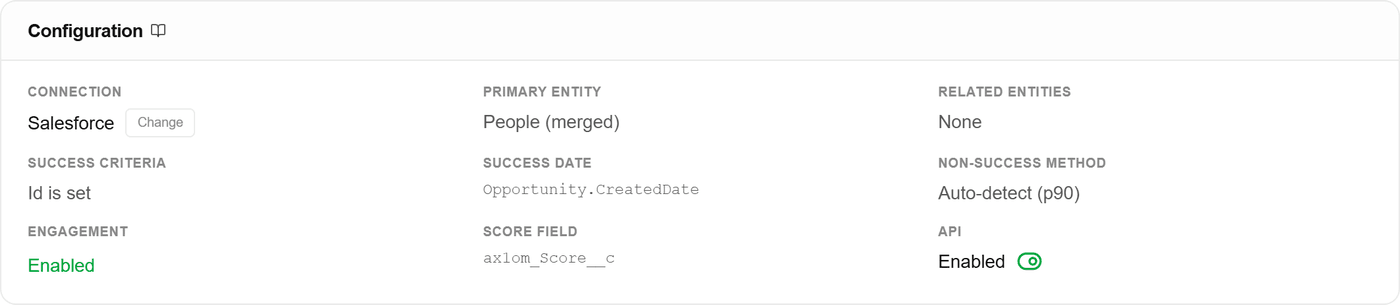
Creating a score locks three choices: the entity being scored (people, accounts, or deals), what counts as success, and the date fields that bound the observation window. Nothing downstream can quietly change them. The CRM field is part of the score too, not part of the model, so you can pick it when you create the score or set it later without touching anything that was already trained.
The score’s Configuration card is those choices written down. The score field on it is a literal CRM column name, and it is the one thing on this page your reports are already pointed at.
Training a model assembles labeled records inside that window, holds out a test split, fits, and reports performance. A new model lands as a draft. You approve it before it can power anything.
Binding happens in the score’s rule list. The default rule, “All records”, takes one model. Add a rule above it and that rule takes its own. Rules evaluate top down and the first match wins, so every record routes to exactly one model and no record is scored twice.
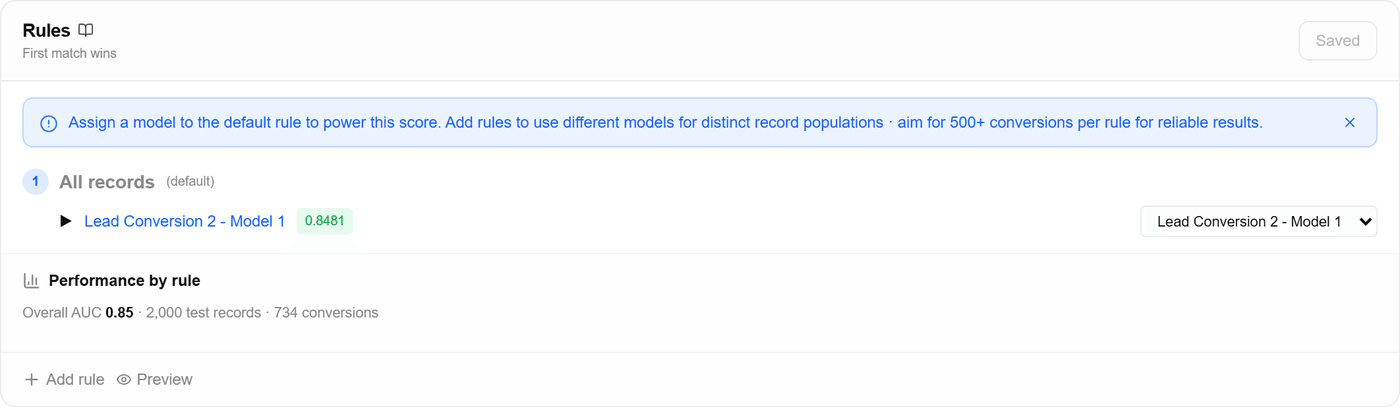
Every scoring run records which model version produced which number. That is what makes the field auditable months later: the number in your CRM is not a floating opinion, it is the output of a specific run of a specific approved model.
What it means for you
The separation is what keeps the number stable while the machinery under it changes. Retrain, approve the new version, bind it to the same rule · the CRM field, the API route, and the reports all keep reading the same score.
When to split one score across several models
If your sales cycles or your teams are different enough, a single model is being asked to describe two markets at once. Enterprise deals that take nine months and self-serve signups that convert in a week do not share a shape, and one model fitted across both learns the average of two things that never happen.
Splitting is how you say so. Add a rule for the segment, train a model on just that population, and bind it to that rule. Everything the rule does not match keeps the default model, and the score above both of them does not move.
Two conditions have to hold at the same time. The segments have to genuinely behave differently, and each one has to carry enough history on its own. The per-rule readout is where you check the first: it scores the currently bound model inside each slice and flags the ones it ranks noticeably worse than it ranks overall. For the second, aim for 500 or more conversions inside a rule before giving it a dedicated model.
The honest caveat: a split on thin data makes the scoring worse, not better. A model fitted on a hundred conversions is fitting noise, and the number it produces will look confident while moving for no reason anyone can explain. When a segment is clearly different but small, the better call is to leave it on the shared model and revisit once you have more history.
What never splits is the score. One CRM field, one definition of success, one set of reports, however many models sit underneath. That is the entire reason they are separate objects.
Worked example: you create one score on people, with success defined as an opportunity created within 90 days, and point it at a CRM field. You train a model and bind it to the default rule. Six weeks later the per-rule readout shows the self-serve slice reading well below the overall figure, and that slice holds 1,900 conversions of its own. You train a second model on it and add a rule above the default. Now two models power one score, records split cleanly between them, and every scoring run since is on record with the model version it used. Nothing your reps look at had to be renamed or rebuilt.